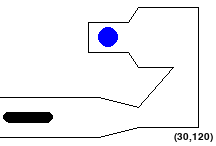
In this assignment you will write code that transforms a shapeshifting alien path planning problem into a graph search problem. See the Robotics sections of the lectures for background information.
Basic instructions are the same as in MP 1. Specifically, you should be using Python 3.12 with pygame installed, and you will be submitting the code to Gradescope. Your code may import modules that are part of the standard python library, and also numpy and pygame.
For general instructions, see the main MP page and the syllabus.
You will need to adapt your A* code from MP 2. This assignment shares the template with MP 5, so you’ll be best off just modifying your template from last submission. If need be, download it again from the MP5 page.
Many animals can change their aspect ratio by extending or bunching up. This allows animals like cats to fit into small places and squeeze through small holes.
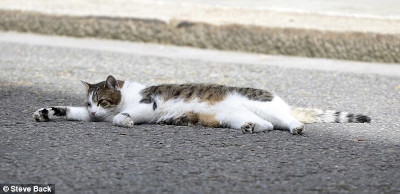

Larry the cat, chief mouser at 10 Downing St.
Left is from the BBC, 15 November 2011. Right is from the Daily Mail, 27 June 2012.
You will be moving an alien robot using straight-line paths between waypoints, based on this idea, to reach a goal. Specifically, the robot lives in 2D and has three degrees of freedom:
Notice that the robot cannot rotate. Also, to change from the long vertical form to/from the long horizontal form, the robot must go through the round form, i.e., it cannot go from its vertical oblong shape to its horizontal oblong shape directly. The robot also cannot make both a shape change and position change in the same move. These transitions must be done separately.
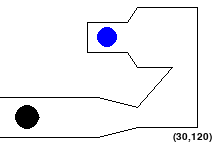
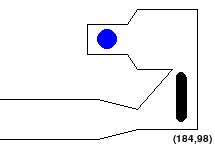
The round form is a disk (or a filled circle). The horizontal or vertical long form is a “sausage” shape, defined by a line segment (it’s “spine”) and a distance “d”, i.e., any point within a given distance “d” of the spine between the alien’s head and tail is considered to be within the alien .
For each planning problem you will be given a 2D environment specified by:
You need to find a shortest path for the alien robot from its starting position to ONE of the goal positions using straight-line paths between waypoints. An example is shown below:
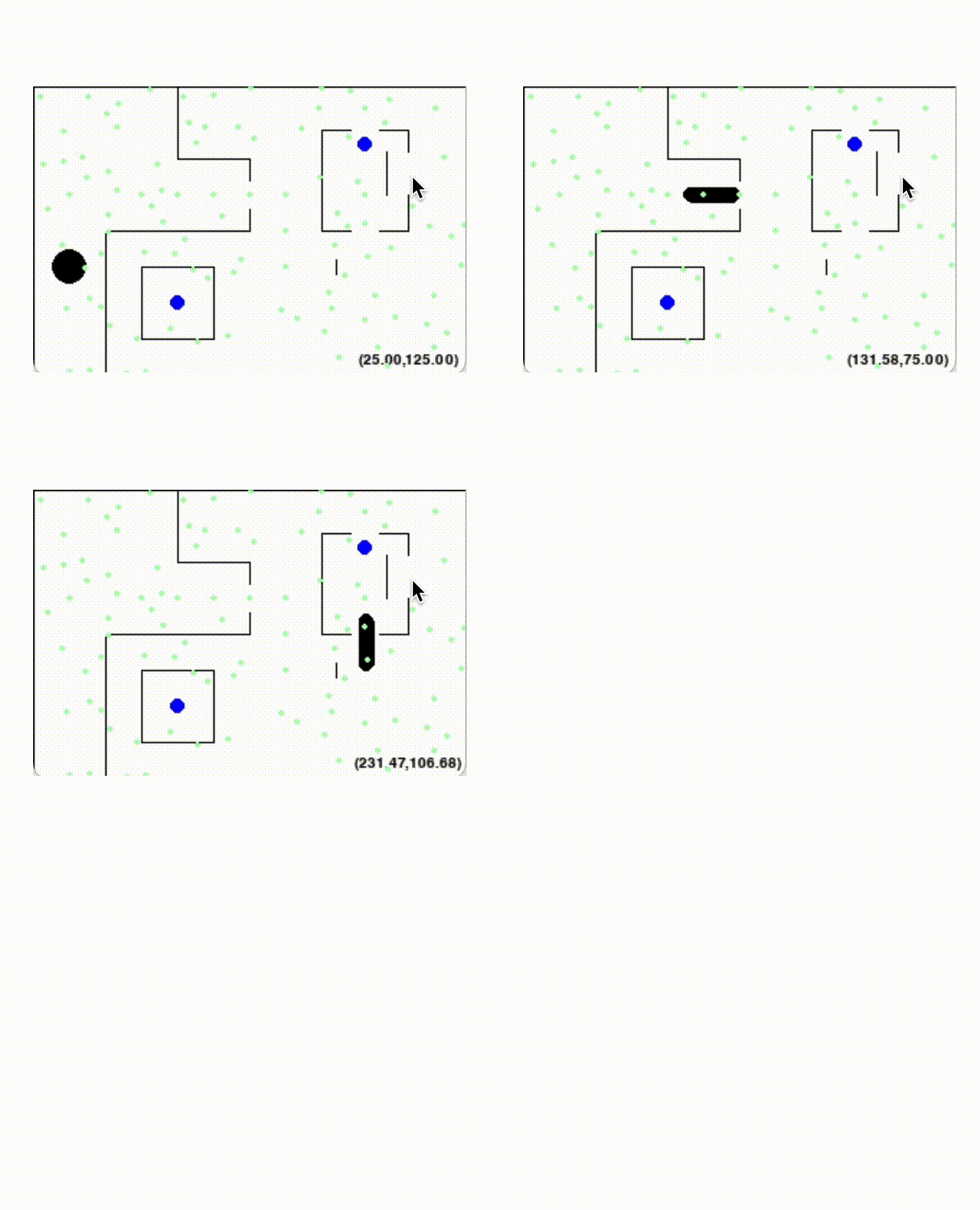
If this image fails to load, try right clicking on the white space above and click “Open Image in New Tab”
The tricky bit is that the alien may not pass through any of the obstacles. Also, no part of the robot should go outside the workspace. So configurations like the following are NOT allowed:
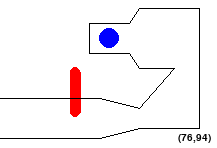
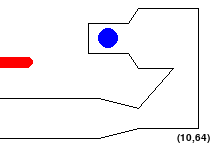
Accordingly, a straight-line path is valid if and only if it connects waypoints or goals and the alien stays in bounds and does not touch obstacles on that path. Also note that, since we choose waypoints randomly, there may be some waypoints that are too close to the edge or obstacles for particular shapes. To account for this, you will need to remove invalid waypoints before executing your search.
We consider the maze solved once the alien’s centroid is at a goal position, as long as the alien is not violating any constraint (i.e., not out of bounds or touching a wall).
To solve MP5 and MP6, you will go through three main steps:
In order to adapt A* to this problem, we need to understand how searching in the maze can be formulated as searching through a weighted graph.
First, the nodes of the graph will represent points in the state space. In this problem, the state space is a set of tuples (x, y, shape) for all waypoints and goals (x, y) and shapes such that (x, y, shape) is in bounds and doesn’t touch an obstacle.
An edge exists between two nodes if there is a valid straight-line path between their states in the maze. Next, we define the cost, or edge weights:
The objective, then, is to find the lowest cost path to a goal node. However, in this case, to improve runtime, we only consider the K-nearest neighbors in our search.
The first part of this MP is to extend your A* code from MP 3/4 to handle our new 3D state representation, using position and shape. Your A* code must be able to handle the possibility that there are multiple goals. However, unlike MP 3/4, your code does not have to touch all the goals. It should consider the maze “solved” when it reaches the first goal. Your new A* code should be added to this file:
search.py
To implement search, you will also need to finish the implementation of MazeState in state.py. It might help to review some of the states you made in the previous MP. Complete all of the TODOs to finish the implementation. Note that unlike the previous MP, we do not include the MST in the heuristic, because we only need to reach one goal. Given the new objective, our old heuristic would not be consistent and admissible.
NOTE: unlike MP 3/4, in this MP, the maze might not have a path! So be sure to handle this case properly and return None!
To complete the MazeState code in state.py, you will need to complete:
generate_successors(self): returns the MazeState
neighbors using self.maze_neighbors. When computing move (edge) costs,
note that changing shape has a cost of 10 and that
you cannot change directly from horizontal to vertical /
vertical to horizontalgoal_test(self): returns True if the current centroid
is at a goal__hash__(self): hash the MazeState using the centroid,
shape, and goals.__eq__(self): check if two states are equalcalculate_heuristic(self): compute the heuristic, which
is the euclidean distance to the nearest goal.__lt__(self, other): This method allows the heap to
sort States according to f = g + h value.In this section, you put all of the ingredients together! You will receive a given map and use your A* search algorithm to find the shortest path to any of the goals. You can test all of the components together with:
python3 mp5_6.py --map \[MapName\] --config maps/test_config.txt
Where MapName is in [Test1,Test2,Test3,Test4,NoSolutionMap]. If all your parts are implemented correctly, you should see an animation of the solution you just found playing in the main screen (you can press escape to kill it).
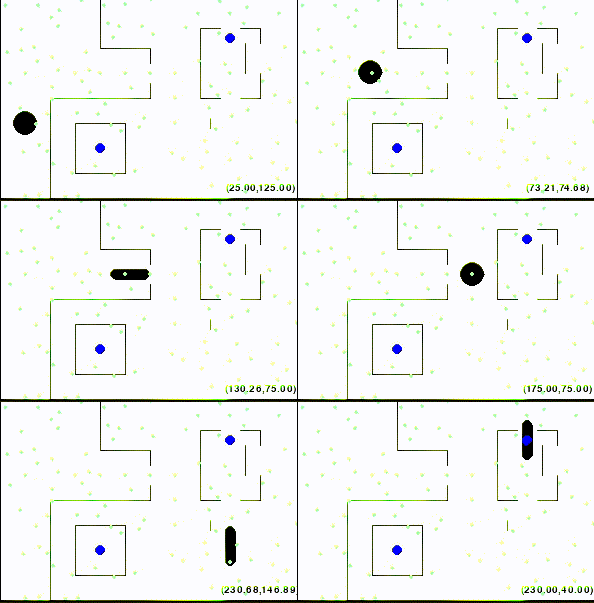
To complete the Maze.py code, you will need to complete:
filter_valid_waypoints(self): Filters valid waypoints
for each alien shape. Since our waypoints are randomly generated, this
is called in the constructor for Maze to automatically delete out all
the waypoints that correspond to invalid configurations.get_nearest_waypoints(self, x, y, shape_idx): Find the
k nearest valid neighbors to (x,y) whose shape match
shape_idxis_valid_move(self, start, end): Check if
end can be reached from start by straight-line
path. Note this must include checking if the shape change is valid, both
in terms of legal transformations (no vertical to horizontal) as well as
asserting that the end shape is valid.Note that the pre-completed function maze.get_neighbors
calls get_nearest_waypoints to get a list of all waypoints
that match the shape current shape, adds all possible shape changes to
that list, then calls is_valid_move on each neighbor in the
list to filter out which neighbors are possible next. Note that this
relies on your is_valid_move to properly filter out illegal
shape transformations. You do not need to change this
maze.get_neighbors.
Each scene (or problem) is defined in a settings file. We wrote the code to read each settings file for you.
The settings file must specify the alien’s inital position, geometry of the alien in its different configurations, the waypoints, the goals and the edges of the workspace. Here is a sample scene configuration:
  Window : (220, 200)                     # (Width, Height)
  Obstacles : \[
                (0,90,100,90),  # (startx,starty,endx,endy)
                (100,90,140,105),
                (140,105,175,70),
                (175,70,140,70),
                (140,70,130,55),
                (130,55,90,55),
                (90,55,90,25),
                (90,25,130,25),
                (130,25,140,10),
                (140,10,210,10),
                (210,10,210,140),
                (210,140,140,140),
                (140,140,100,150),
                (100,150,0,150)]

  Goals : [(110, 40)]               # (x-coordinate, y-coordinate)
  WayPoints: [  (87, 25),
              (198, 183),
              ...]
  Lengths: [40,0,40]
  Widths: [11,25,11]
StartPoint: [30,120]\['Horizontal Length', 'Ball length (always 0)', 'Vertical Length'\].
The length of the robot is defined by the distance between its head and
tailget\_widthsfunction in the Alien
class.(startx, starty, endx, endy)Here is how the map from this configuration looks without waypoints:
You can play with the maps (stored in config file “maps/test_config.txt”) by manually controlling the robot by executing the following command:
python3 mp5_6.py --config maps/test_config.txt --map Test1 --human
Feel free to modify the config files to do more self tests by adding test maps of your own.
Once the window pops up, you can manipulate the alien using the following keys:
While implementing your geometry.py file, you can also use this mode to manually verify parts of your solution, as the alien should turn red when touching an obstacle or out of bounds, and should turn green when validly completing the course, as shown in the initial figures.
You can get additional help on the parameters for the main MP program
by typing python3 mp5_6.py -h into your
terminal.
You should use your code from MP5 for this MP. You will only have to modify and submit following files:
Do not modify other provided code. It will make your code not runnable.
Please upload search.py, state.py, maze.py, and geometry.py (all together) to gradescope.
Do not submit extra files to gradescope.